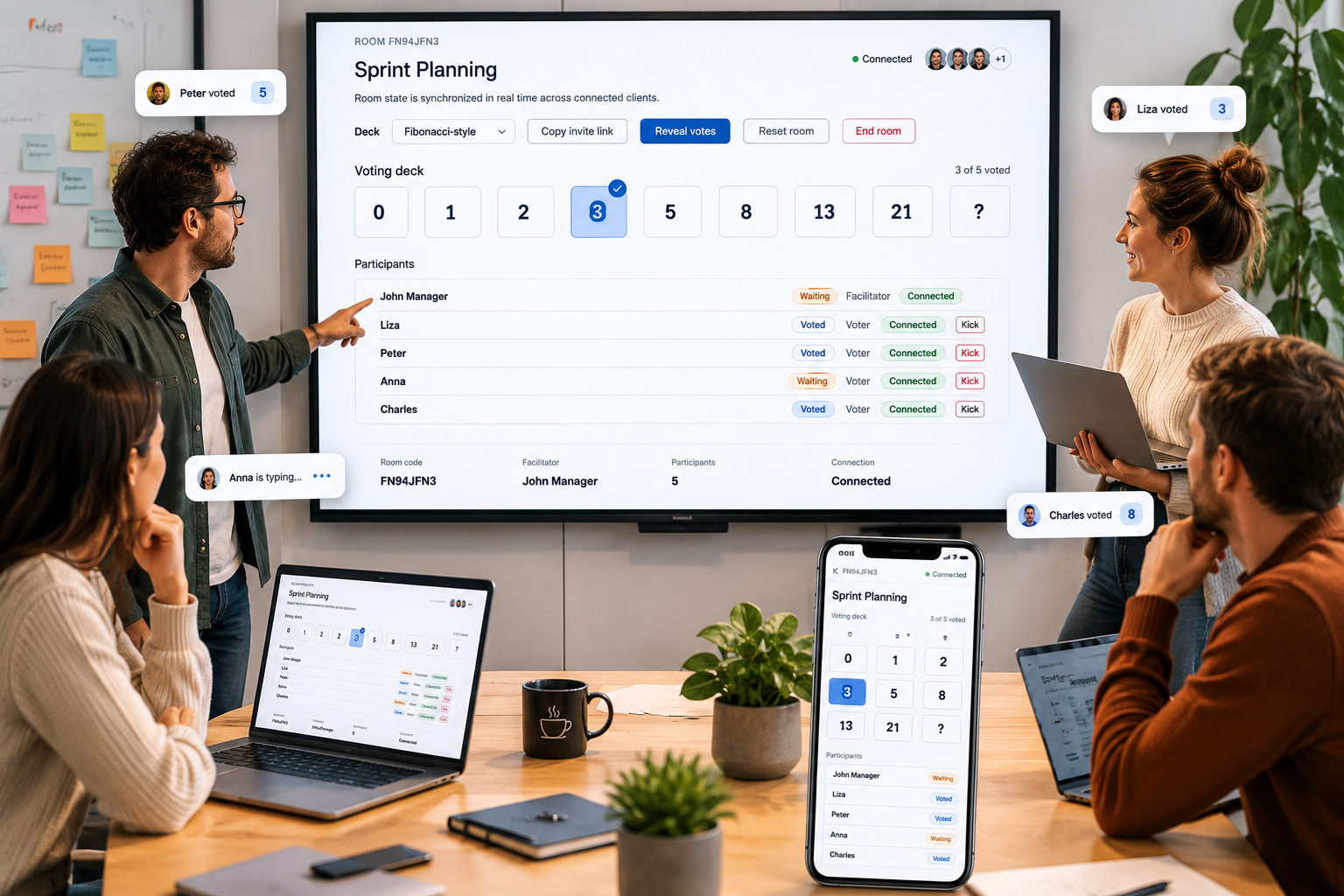
A lightweight tool for collaborative estimation
Planning poker helps a team discuss uncertainty before committing to an estimate. Each participant selects a card without seeing the other votes. Revealing all cards at the same time reduces anchoring, makes differences visible, and gives quieter team members an equal way to contribute.
Simple Plan Poker keeps that workflow deliberately small. There are no accounts to create and no backlog to import. A facilitator creates a temporary room, shares the invite link, chooses an estimation scale, and guides the conversation. The room can be reset as often as needed for the next item.
How a session works
- Create a room. Give the session a recognizable name and join as facilitator.
- Invite the team. Copy the invite link or share the room code.
- Discuss one item. Clarify the goal, boundaries, dependencies, and open questions.
- Vote privately. Each voter selects the card that best represents relative effort or complexity.
- Reveal and discuss. Start with the highest and lowest estimates, then vote again if needed.
Choose a scale that matches the conversation
The Fibonacci-style deck spreads out as uncertainty increases, making it useful for backlog refinement. Ordinal decks offer smaller steps when a team needs more precision. The decimal ordinal deck adds half-point choices for teams that regularly distinguish between closely sized items. The ? card means the voter needs more information before estimating.
New to the technique? Read the complete planning poker guide. If your team is deciding between card sets, compare the options in choosing an estimation scale. The resources library includes facilitation checklists, remote-session tips, story-splitting advice, and a team agreement template.
Want to see the conversation behind the cards? The worked estimation example follows a 3-to-13 vote spread through clarification, scope decisions, a second vote, and the final backlog note.